
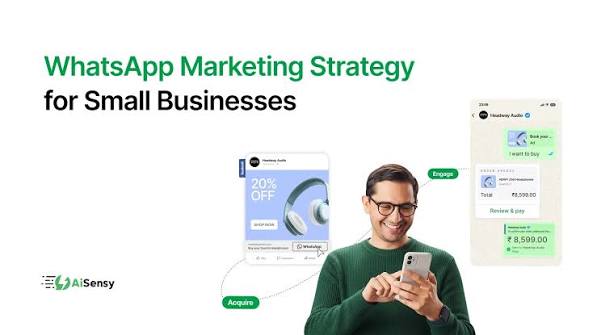
WhatsApp Marketing for Small Businesses: Complete Guide (2026)
WhatsApp marketing has emerged as a highly effective, low-cost strategy that delivers significant results for small business owners, making it one of the most popular methods today. Yet, many small business owners still fail to fully leverage its potential. Unlike emails—which often go unread—or advertisements—which can quickly become expensive—WhatsApp messages boast exceptionally high open rates and click-through rates. Since people frequently check their WhatsApp for new messages, your business gains a greater chance of growth; more clicks translate into better results. WhatsApp connects you directly with customers without requiring a massive budget. In this article, we will teach you everything you need to know—from properly setting up your business profile to using broadcast lists, click-to-chat links, catalogs, and automation—enabling you to utilize WhatsApp as a powerful business marketing tool rather than just for casual communication.
Why WhatsApp Marketing for Small Businesses Works So Well
In today’s landscape, WhatsApp marketing is highly impactful for small business owners; while email open rates hover around 20%, WhatsApp messages boast open rates exceeding 90% and are typically read within just three minutes. WhatsApp marketing is particularly effective because it solves the major challenge of capturing attention—delivering significant value to the customer by enabling direct interaction regarding your products or services.
Three more major reasons:
- You can get started without any budget; all you need is the WhatsApp Business app.
- It creates a personal connection with your customers—something generic ads can’t achieve.
- Regardless of the country, people value WhatsApp more than email, and it is also much easier to use.
For certain reasons, WhatsApp marketing is considered an advanced form of marketing.
Getting Started — Setting Up Your WhatsApp Business Profile
To start with, instead of standard WhatsApp, you should use the WhatsApp Business app, which is designed specifically for business purposes.
Quick setup checklist:
- Download the WhatsApp Business app and register using your business number.
- First, complete your business profile by adding details such as the brand name, a short description, address, category, and business hours.
- Next, upload high-quality photos of your brand and create a product catalog.
- Set up greeting messages and away messages (both are free features that give customers the impression of an immediate response).
- Use labels to organize conversations (e.g., “New Customer,” “Pending Payment”).
You should definitely complete this basic setup; it paves the way for you to move towards advanced WhatsApp marketing.
Broadcast Lists vs Groups: Which One Should You Use
Broadcasting is a mistake born of confusion for business owners.
Broadcast List:
You can send a single message to multiple contacts simultaneously, and it appears to each recipient as a personal message; there is no need to add the contacts to a group. However, the message will only be delivered to those who have saved your number. You can send this message to up to 256 contacts at once.
Group:
You can add a large number of people to the group; all members can see each other and reply to one another. However, if you send too many promotional messages, members tend to leave the group, and there is no privacy.
Simple rule:
If you want to send promotional messages or offers, you should use the broadcast feature, as it is professional and spam-free. Create a group only when you genuinely want to build an engaged customer community, not just for making announcements.
Using Click-to-Chat Links to Drive Conversations
If you send a standard phone number to your customer, it adds an extra step for them because they have to save the number before sending a message. Click-to-chat links (wa.me links) eliminate this friction; a single tap opens the chat directly, making the process easy.
Where should you use this?
- In the bio of your brand’s Instagram or Facebook page
- You can add it as a “Chat with us” button on your brand’s website
- You can also include it in your emails
- Via QR codes on printed materials (packaging, flyers, business cards)
A small but powerful tip:
You should always include a pre-filled message in your link—such as “Hi, I’m interested in your products”—so that customers can message you without hesitation; this also captures customer data and simplifies the process for them.
A standard `wa.me` link has downsides: it doesn’t look official, and it offers neither customer data collection nor advanced tracking. It is better to use a custom branded link in your Instagram bio; this allows you to gather customer data and access advanced tracking systems, providing insights such as the daily number of clicks on your link.
Showcasing Products with the WhatsApp Catalog Feature
The business app includes a ‘Catalog’ feature that allows you to list your products; it looks like a website and is very easy to use.
What can be added to the catalog?
- You can list your products with high-quality images.
- You can display the product price.
- You can write a short description of the product.
- You can include the product code (if tracking inventory).
Why this is useful:
When a customer is talking to you, instead of sending him photos of 1-1 products, you can send him a catalog of all your products together, which looks branded, works fast and your customer can get the price and product information without any hassle.
The setup is very simple:
You need to open the WhatsApp Business app, go to the settings, navigate to the business section, and then select ‘Tools’; there, you will find the catalog page {e.g., WhatsApp Business app > Settings > Business Tools > Catalog}. You can add your products here—which is very important these days—and list any type of product very quickly.
Automating Greetings and Quick Replies to Save Time
Nowadays, manually messaging every customer is essentially a waste of time—and when your business is growing, it isn’t even feasible. The WhatsApp Business app offers two options to solve this problem.
Greeting Message:
If a new customer messages you for the first time and you happen to be unavailable, it is not a problem, because this feature sends an immediate reply to your customer.
Quick Replies:
This is a highly effective method that saves you a lot of time; you can pre-save answers to common customer queries—such as delivery times, product prices, and order status—ensuring that responses reach the customer instantly.
Both these features are free on the WhatsApp Business app, and the setup takes just 10 minutes, allowing you to save time daily and focus more on your business.
Using WhatsApp Status for Promotions and Updates
WhatsApp Status can be a very powerful marketing tool for small businesses, yet many business owners do not take it seriously; while it can drive significant growth for you, keep in mind that the status disappears after 24 hours.
How to use the status:
- To showcase any new products or services
- To display limited-time offers or discounts on your products
- To share behind-the-scenes content (packaging, preparation, team)
- To highlight customer testimonials or reviews
- To run theme-based marketing for your products during festive seasons
Why this works:
This offer appeals to both new and existing customers because anyone who views your status establishes a connection with you and becomes interested in your product; furthermore, posting a one-day offer as a status significantly boosts visibility.
Pro Tip:
Use the status feature consistently, but avoid posting daily; instead, limit yourself to three or four times a week. Also, do not always pitch leads or services in your status updates, or else customers will stop viewing them. You should post a variety of content, such as offers, product information, and festival-themed updates.
Common WhatsApp Marketing Mistakes Small Businesses Make
There are certain mistakes small business owners make that can easily be avoided.
1.Sending too many promotional messages
You should not send too many messages about your products; doing so might cause customers to mute or block you, thereby reducing your visibility. Furthermore, not every message needs a “Call to Action” like “Book Now” or “Order Now.” You should send a variety of message types—sometimes once a day, sometimes twice, and at other times not at all—and avoid including a “Buy Now” button in every single message.
2.Sending messages without opt-in
You should never send product marketing messages to customers who have not messaged or spoken to you previously; such messages are akin to spam and violate WhatsApp’s policies, which could lead to your number being blocked.
3. Slow response time
In WhatsApp marketing, customers expect an immediate reply rather than the hours-long wait often associated with email responses; otherwise, they might share their details with another business instead.
4. Using links in the pipeline without any tracking.
If you use a plain link, you will never know whether your WhatsApp marketing is actually working; therefore, you should generate a custom WhatsApp link that includes your brand name. This allows you to track everything—such as clicks, sales, and messages—with advanced tracking capabilities.
Tools That Make WhatsApp Marketing Easier
As a business grows, certain tools make WhatsApp marketing more efficient and professional:
WhatsApp Business App:
It offers basic features like groups, broadcasts, and catalogs, along with some automation tools you can use; it is ideal for startups.
Branded Link Generators
Branded links offer numerous benefits; for instance, they allow you to generate trackable links and QR codes while providing advanced analytics—features unavailable with standard WhatsApp links, which also lack a professional, branded appearance. Therefore, consider using tools like WalinkPro to create branded links.
WhatsApp Business API
You should use the WhatsApp Business API when your business is scaling and yielding good results, and you require features such as multiple agents, deep automation, or CRM integration.
Scheduling Tools
This applies when you switch from sending messages manually to using automated messaging, allowing your scheduled messages to be sent at the designated time.
For most small businesses, starting with a branded link and the WhatsApp Business API (along with WhatsApp Business) can enable effective marketing on the platform.
FAQs
Q1: Is WhatsApp marketing free for small businesses?
Yes, WhatsApp Business is a completely free app and is excellent for startups; however, if you are looking for more advanced features, the WhatsApp API and branded links may come at a cost.
Q2: How many people can I send a broadcast message to?
In the WhatsApp Business app, you can send messages to a maximum of 256 contacts, but the message will only be delivered to those who have saved your number.
Q3: Can I track how many people click my WhatsApp link?
A standard wa.me link won’t provide you with any information, but if you use a branded custom WhatsApp link, you get click analytics—showing you how many people visited your WhatsApp and where they came from, whether it was Instagram, your website, or another source.
Q4: How often should I post on WhatsApp Status for marketing?
There is no fixed rule regarding how often you can post a status, but a balanced approach is to do it about 3 or 4 times. Don’t just promote your service every time; share various types of status updates related to your business.